
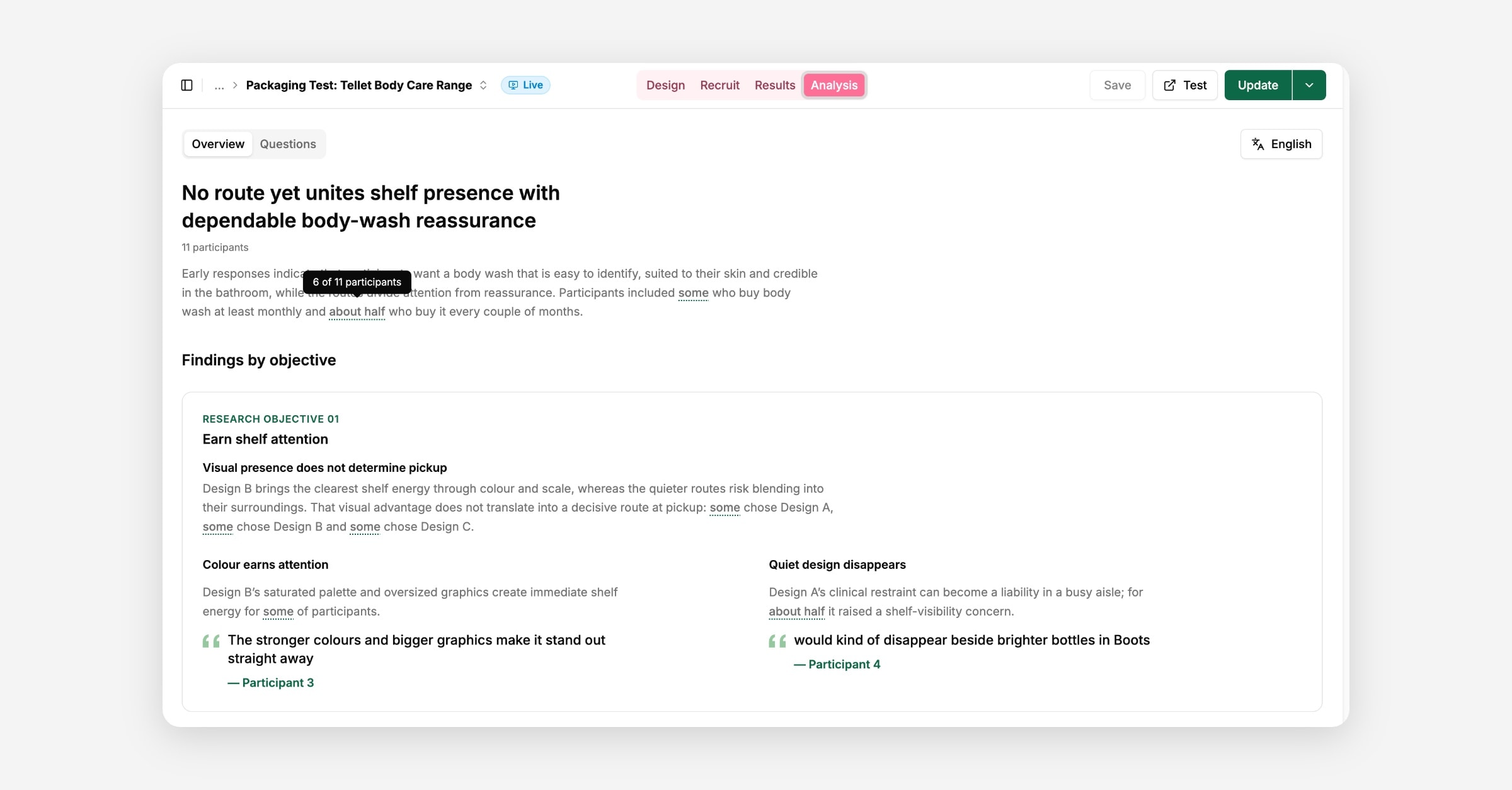
The Overview page on a study's Analysis tab is the executive summary: one written answer to your research objective, built from every interview in the study. Every number and quote in it links back to the participants behind it, so you can check any finding before you share it.
Open it from Study > Analysis > Overview. The Questions tab next to it breaks the same analysis down question by question.
When the summary appears
Tellet starts analysing once a study has enough completed interviews to say something meaningful: 10 completed interviews, or 10% of your max participants if that's higher. Completing the study also starts the analysis, even if you have fewer interviews than that. As new interviews come in, the numbers in the summary update straight away.
What's in the summary
Headline and introduction
At the top is a one-sentence headline answering your research objective, followed by the number of participants analysed and a short introduction to who you heard from.
Findings by objective
Below the introduction, findings are grouped by research objective. The objectives come from the Research objective field in your study settings.
Outliers
At the end, the summary calls out views that didn't fit the main themes but are worth knowing about, if there are any.
A clear, specific research objective gives you a clearer summary. See Study settings for how to write one.
Checking where a finding comes from
Number of participants supporting the claim
Words like most, about half or few are underlined because they're calculated from live data, not written by the AI. Hover over one to see the exact numbers, for example "18 of 24 participants".
Quotes
Quotes are always the participant's exact words, never paraphrased. Hover over a quote to see the full message it came from, with the quoted part highlighted. Click it to open that participant's transcript at that point in the interview.
Viewing the analysis in another language
The analysis is written in your study's analysis language. To read it in another language, use the Translate menu at the top right of the Analysis tab:
View in: switch between the original language and any languages you've already added.
Add language: translate the summary into a new language. You can add up to 3 languages.
Quotes are translated too. If a quote can't be translated, it's shown in the participant's original language.
If something goes wrong
Too few responses to analyse: the study doesn't have enough usable answers to summarise yet. Collect more interviews.
Summary could not be generated: click Try again. If it keeps failing, contact us at [email protected].
Failed to load analysis: refresh the page. If the problem continues, contact support.