
Tellet (v2)
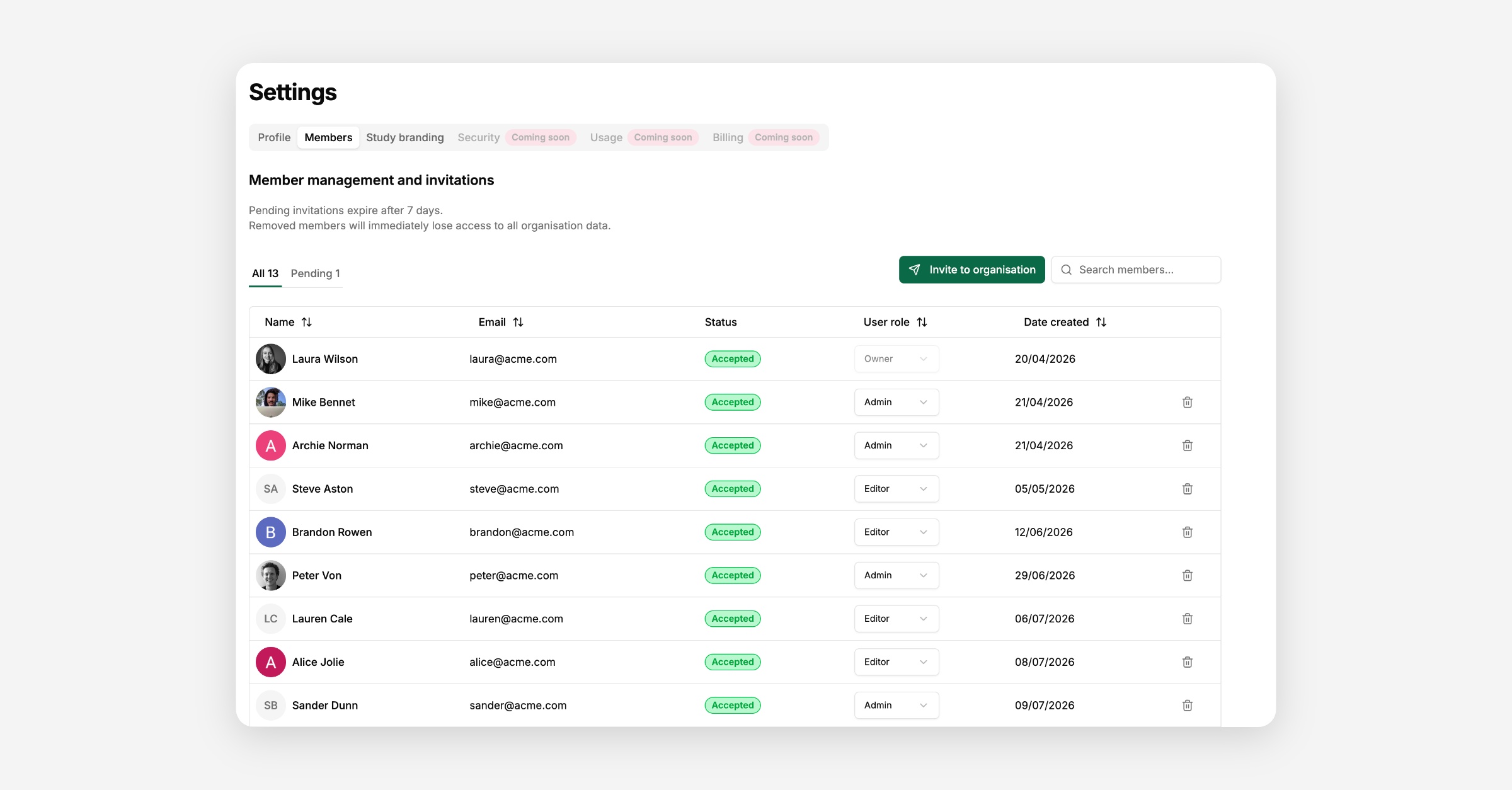
Every member of your organisation has one of three roles.
Every organisation has exactly one Owner. Owners have full control and can't be removed or have their role changed — you'd need to be an Owner to manage the organisation this deeply in the first place.
Admins can edit organisational settings, manage study branding and privacy policy links, and invite, remove, or change the role of other members.
Editors can view the organisation and its members, but can't edit organisational settings, branding, or privacy links, and can't invite, remove, or change the role of anyone. Editors can create the studies but need to request an approval before publishing.
If you’d like to change ownership, please contact us at Support & Contact
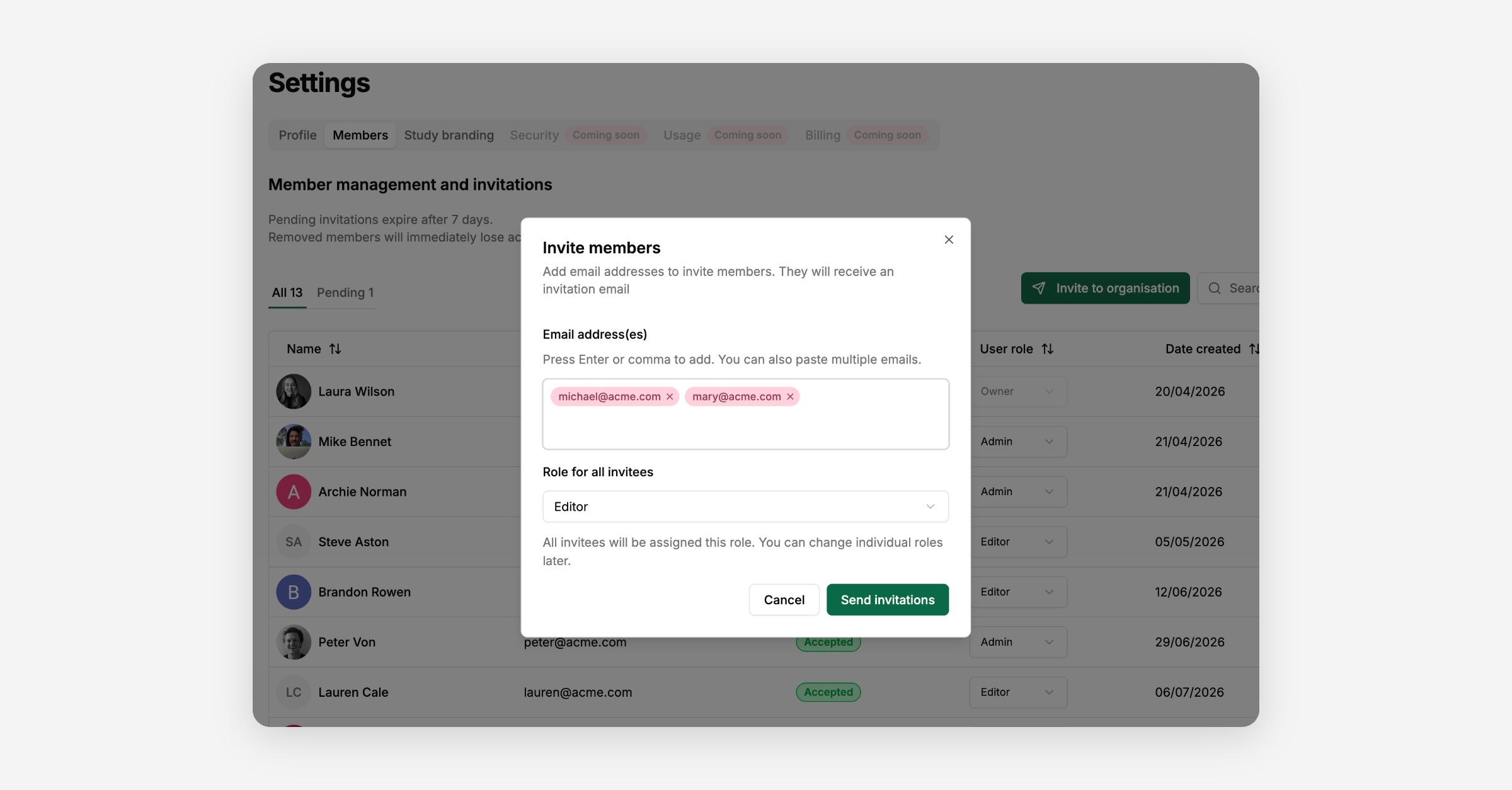
Go to Organisational settings → Members and select Invite to organisation. Enter one or more email addresses and choose the role to assign them — Admin or Editor. Each invite lasts 7 days.
You are not limited to one address per invite. Enter all the email addresses you want to invite in the same request, and Tellet sends each one its own invitation with the role you picked. Every address in that batch gets the same role, so if you need a mix of Admins and Editors, send them as separate invite requests, one per role.
If someone else needs an invite after you've already submitted a batch, for example an address you forgot the first time, just open Invite to organisation again and enter that address. It does not disturb the invites already sent: everyone you invited earlier stays Pending with their own 7-day expiry, and the new address gets its own invite on top.
Invitations that haven't been accepted yet show up in the Pending tab. You can resend an invitation to refresh its 7-day expiry, or cancel it to revoke the link entirely.
Whoever receives the invite follows the link in their email, creates an account or signs in, and is added to the organisation with the role you assigned.
From the members list, Owners and Admins can change another member's role or remove them from the organisation. You can't change or remove the Owner, and you can't change your own role or remove yourself. Removing a member revokes their access to the organisation and every workspace in it immediately.